During my internship at Prokov Editions, I built the backend of a website generation module. The goal: let any user create an online presence without technical skills, using data already in their professional records.
Architecture : NestJS as Central Hub
The initial problem: no automatic communication between the Flutter CMS and the Astro builder. I built a NestJS API as the single connection point between all modules.
Full workflow:
- The user configures their site through the Flutter CMS
- The CMS sends the configuration to the API, which stores it
- The API triggers an Astro build via a secure token
- Astro fetches the configuration from the API and generates the static site in under 2 seconds
- Preview mode: the site is exposed locally so the CMS can display a preview
- Production mode: automatic deployment to a test server under an existing domain
Why NestJS? Native modular architecture, TypeScript-first, built-in DI: the right choice for a hub that needs to communicate with multiple systems while staying maintainable by other developers after the internship.
Technical Decision : Bull/Redis over Docker
The concurrency problem: multiple users can trigger a build simultaneously, but the server runs only one instance of the Astro builder.
My first approach: multiple Docker containers in parallel. Rejected quickly. Astro builds a site in under 2 seconds : container startup time exceeded the build time. Unnecessary overhead and unjustified complexity.
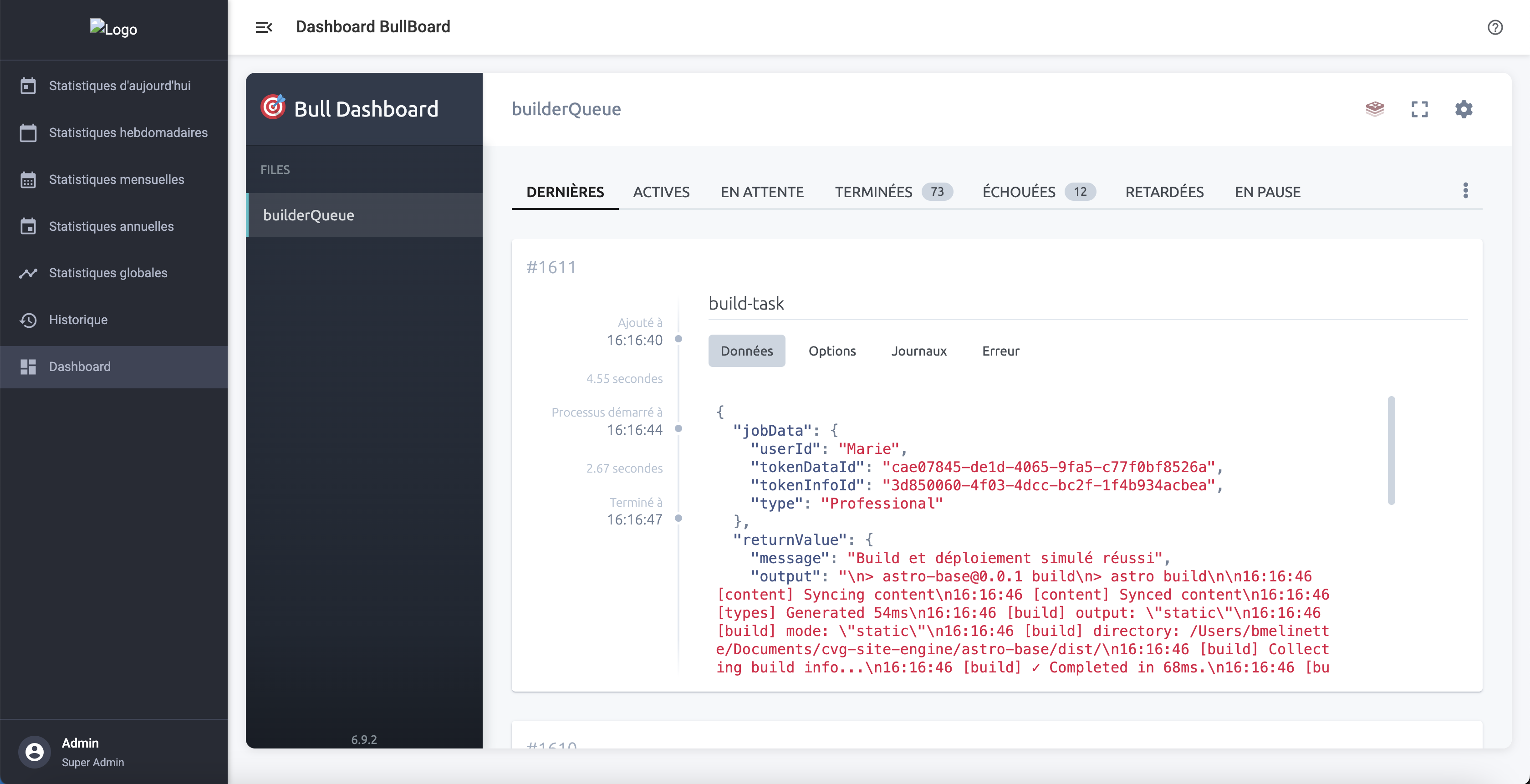
Chosen solution: a Redis/Bull job queue. Each build request is added to the queue with its metadata. A dedicated worker processes tasks sequentially, eliminating race conditions and filesystem conflicts. Bull was chosen for its reliability, retry and prioritization support, and its ability to scale horizontally (adding workers across multiple servers) without changing the architecture.
Validation : Zod at the API/Builder Boundary
To guarantee data integrity between the CMS and the builder, I integrated Zod: every JSON configuration is validated against a strict schema before processing. Validation errors are caught early with precise messages, significantly reducing debug time when malformed data comes from the CMS.
Personal Initiative : Angular Analytics Dashboard
Ahead of schedule, I noticed during a discussion with another internal software team that they had a full dashboard tracking their product usage. The insight: data is key to making good technical and product decisions. I built something similar for our platform.
Data pipeline:
- Each build writes its metrics directly to QuestDB, a column-oriented database optimized for time series
- Aggregations (totals, averages, distributions, period comparisons) are computed at query time
- The API exposes stat endpoints consumed by the Angular dashboard
Angular Dashboard (framework chosen for my familiarity : fastest path to a working MVP):
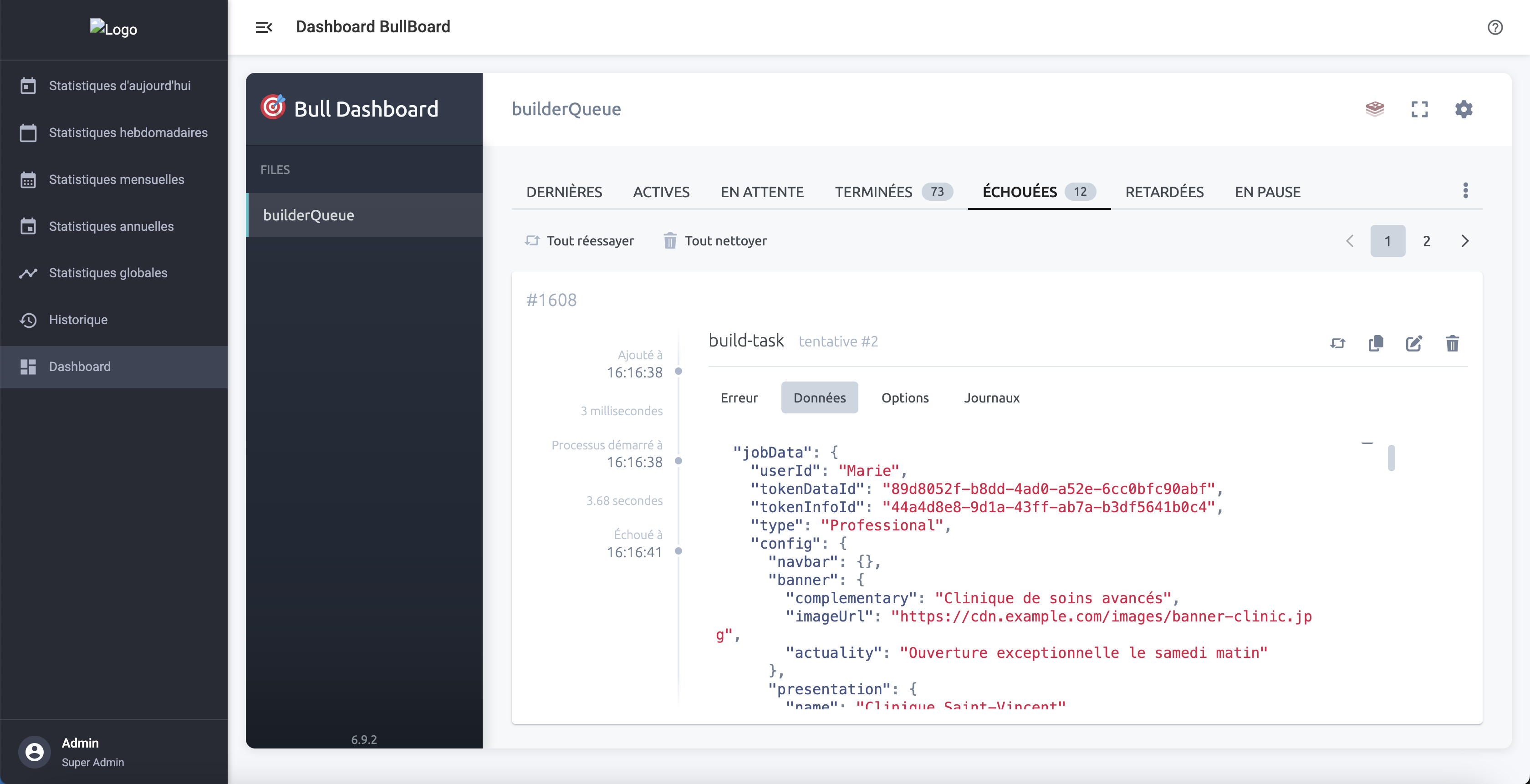
- Bull Board view: queue inspection, failed job retry, error log analysis
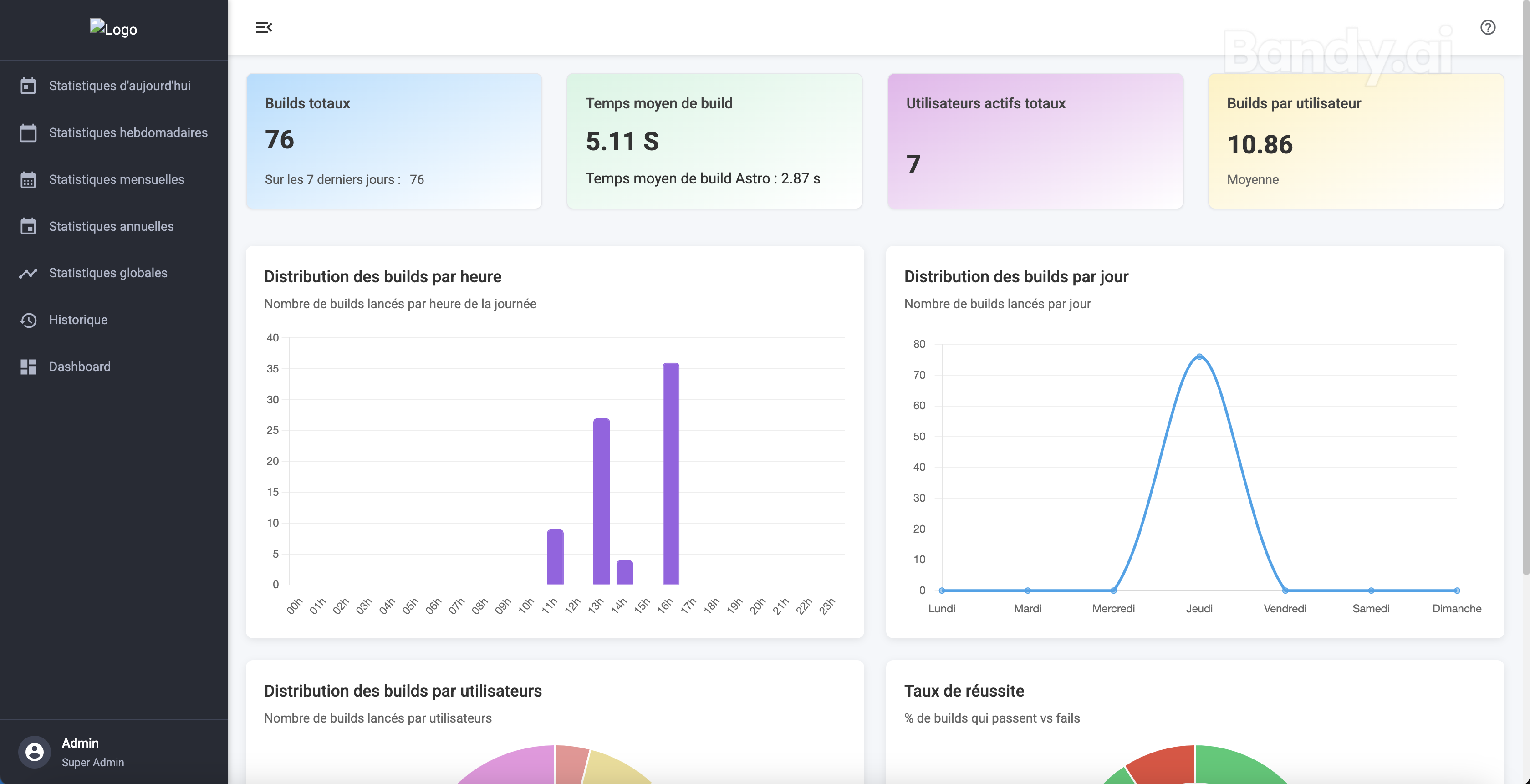
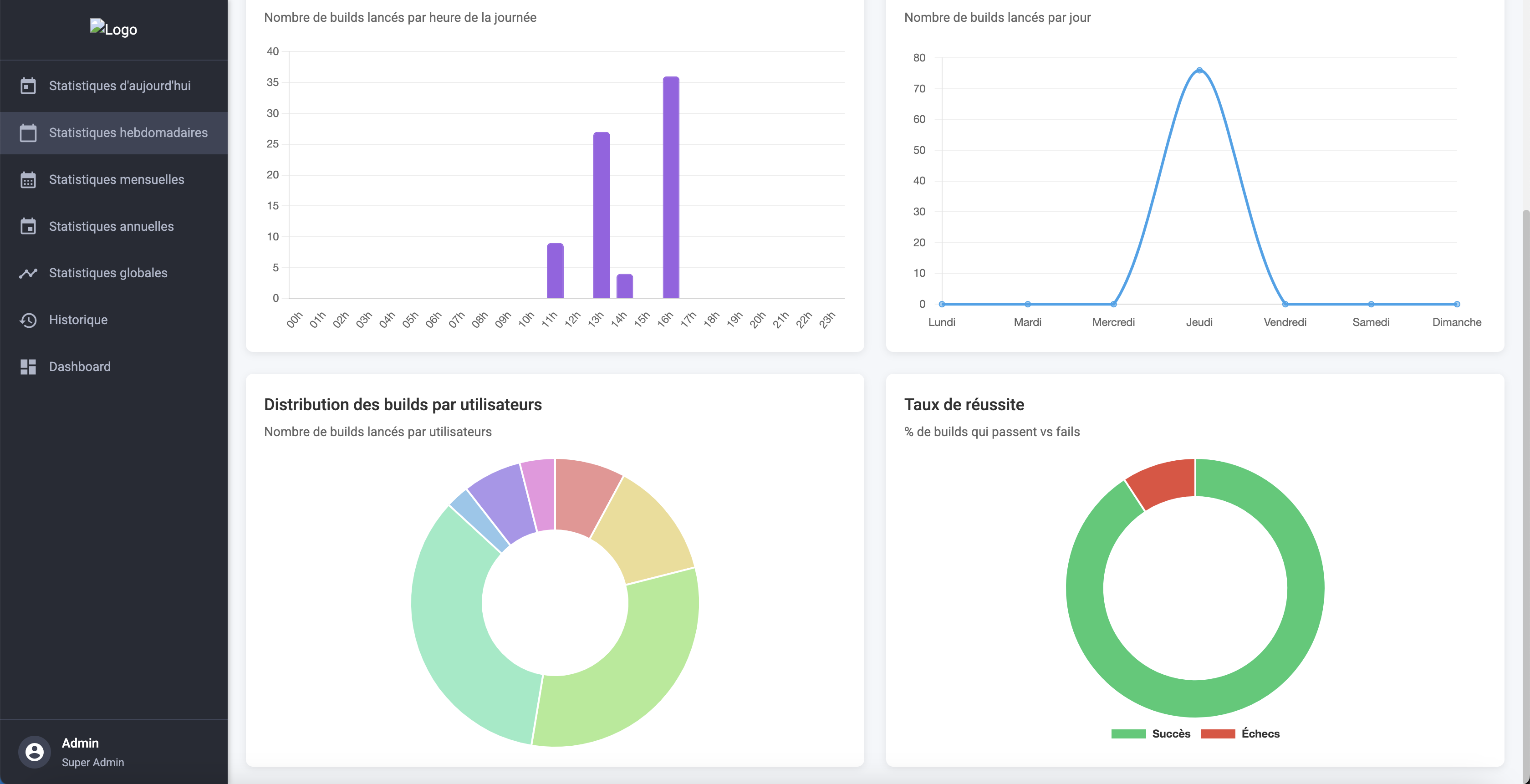
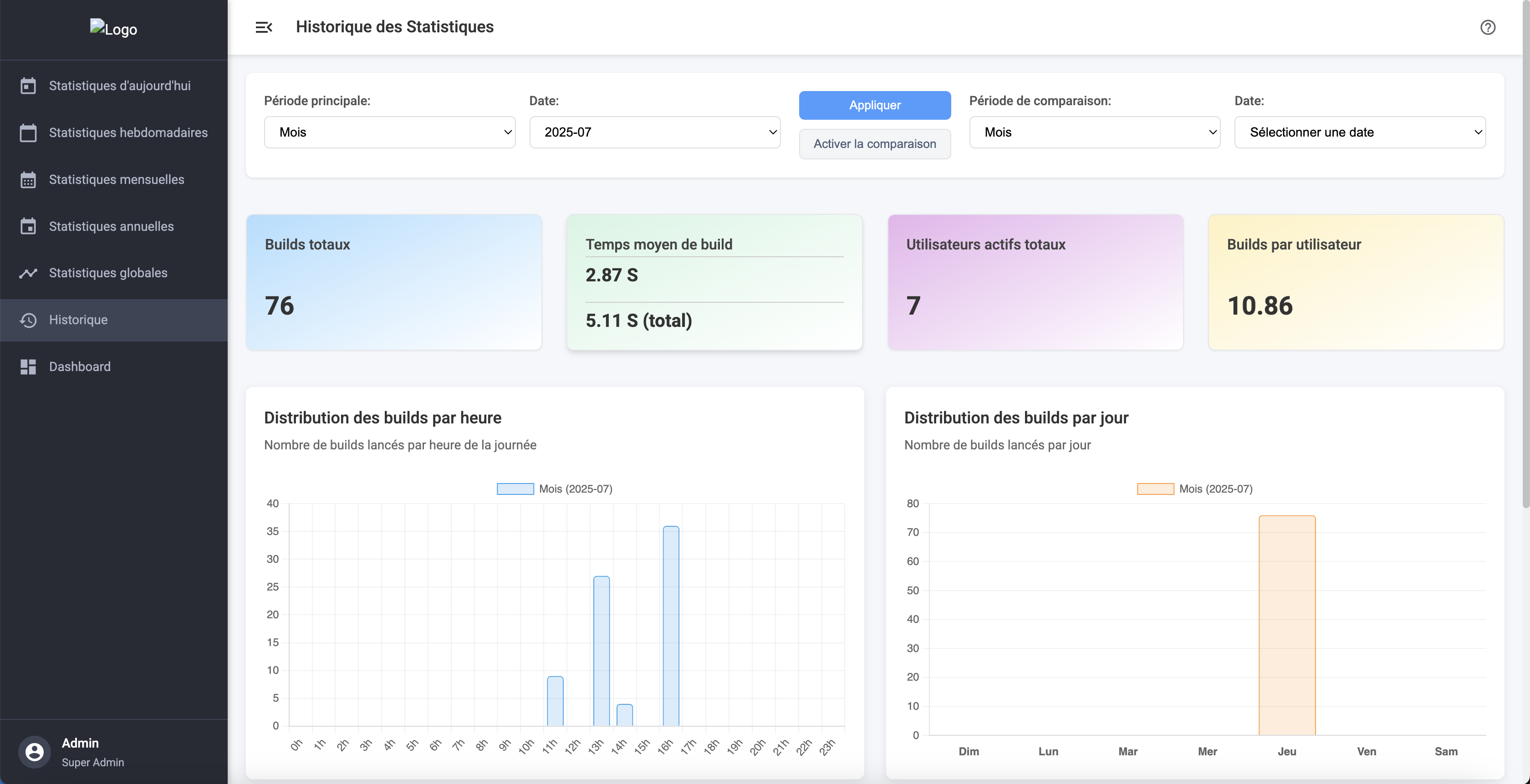
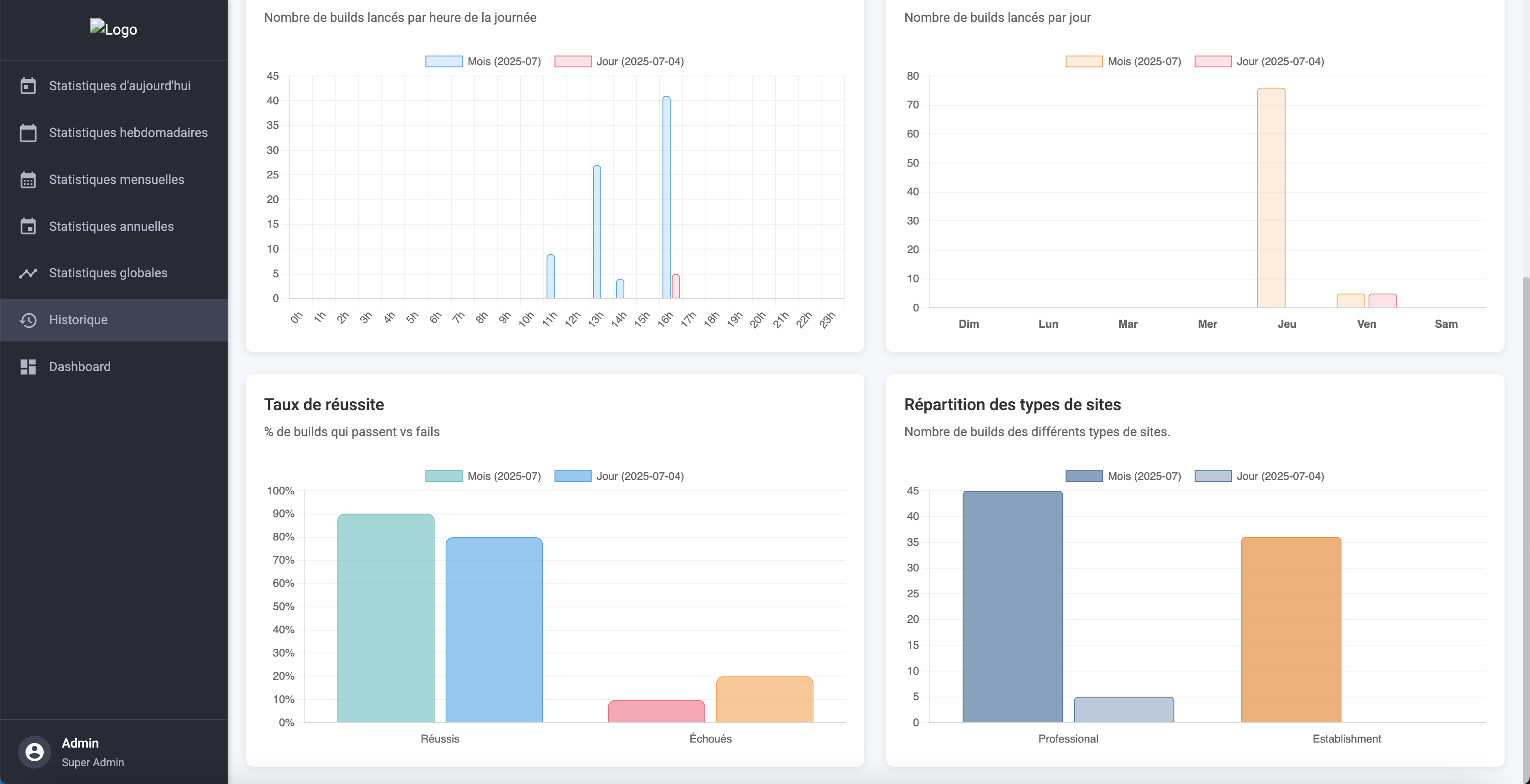
- Stats: total build count, average build time (2.814s in prod), most active users, success/failure rate
- Hourly and daily distribution to identify usage peaks
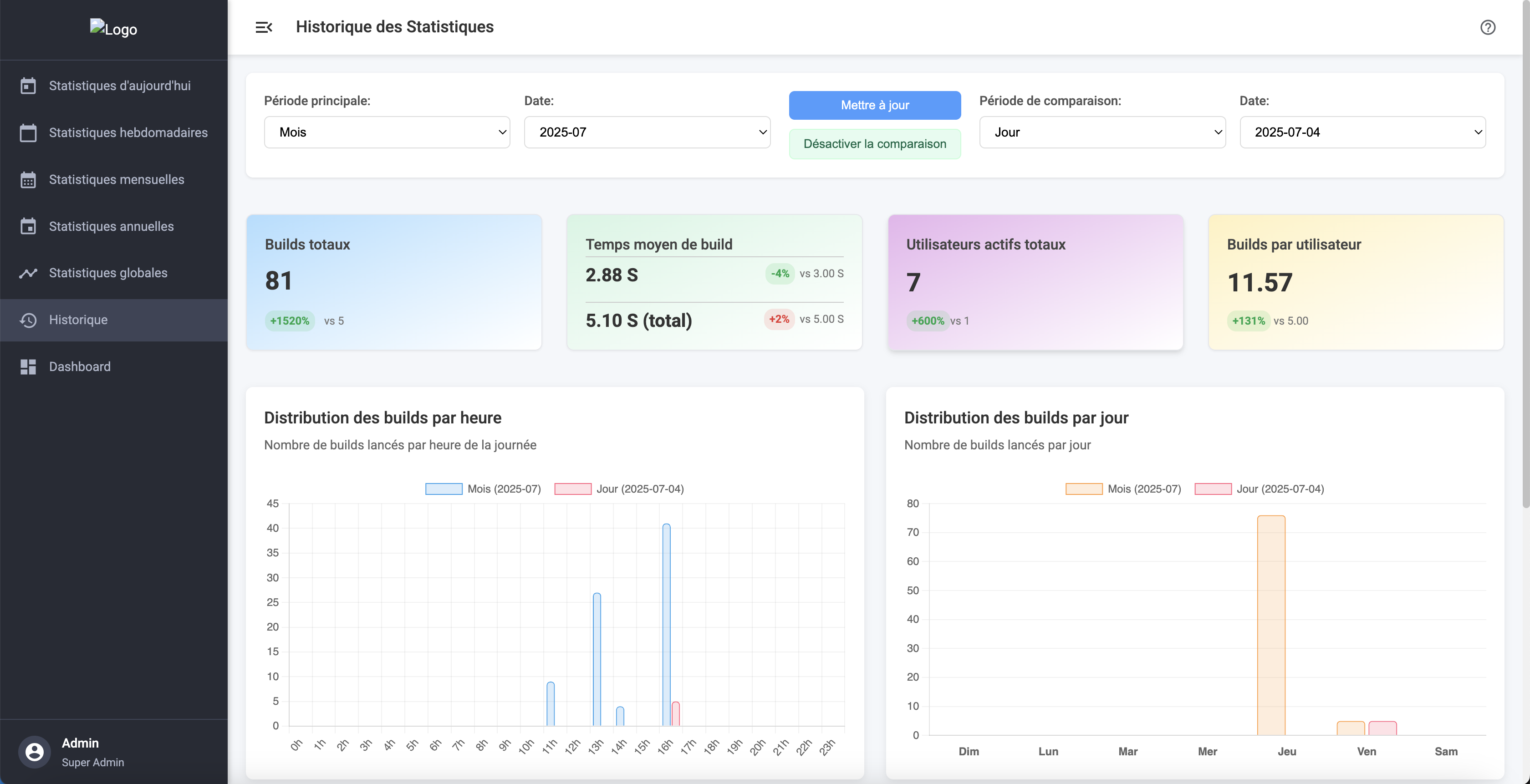
- Comparison view: week vs. week, month vs. month, with Chart.js to visualize trends
Tests & Documentation
The API started as a temporary connection prototype. Its stability made it a production component of the project. To ensure long-term reliability, I set up a Jest unit test suite targeting 80% coverage, a threshold that catches regressions without over-testing the incidental.
In parallel: MkDocs documentation (context, architecture decisions, contribution guide) and Swagger on every endpoint (expected format, possible responses, list of consuming applications). Goal: anyone should be able to pick up the project without me.